Bootcamp
Module 5 — Application architecture: pages, states and reusable pieces

Photo by Vitaly Gariev on Unsplash
This is where the course turned from pages to products. A landing page is one screen; an application is a structure — and Module 5 taught the structural decisions that are expensive to reverse.
Application architecture at the interface level is three questions: how many pages exist, how a user moves between them, and where temporary state lives. Answer them deliberately at the start and everything downstream gets easier.
The concepts
The theory lessons walked the decision tree: page structures, multiple-page apps, single-page apps, and the use cases for each; navigating between pages; URL parameters (the professional’s tool for shareable, reloadable state — a detail that separates robust apps from fragile ones); custom states for interface-only data; and reusable elements so shared chrome exists exactly once. Then two quiet power topics: page reloads and redirects, and using conditionals to show and hide groups — the mechanics behind every dashboard you’ve ever used.
The build
The practical was the biggest yet: students built an auth page as a miniature single-page app (groups for sign-up and log-in, text links to switch, conditionals doing the showing and hiding), then a main application template with a navigation drawer that expands and collapses, centres its icons when collapsed, carries drop shadows, holds its active-row state — and finally gets converted, with the header, into reusable elements. Thirty-one lessons of patient, real assembly, ending with documentation, because an undocumented structure is a structure only you can work on — for about six weeks, after which nobody can.
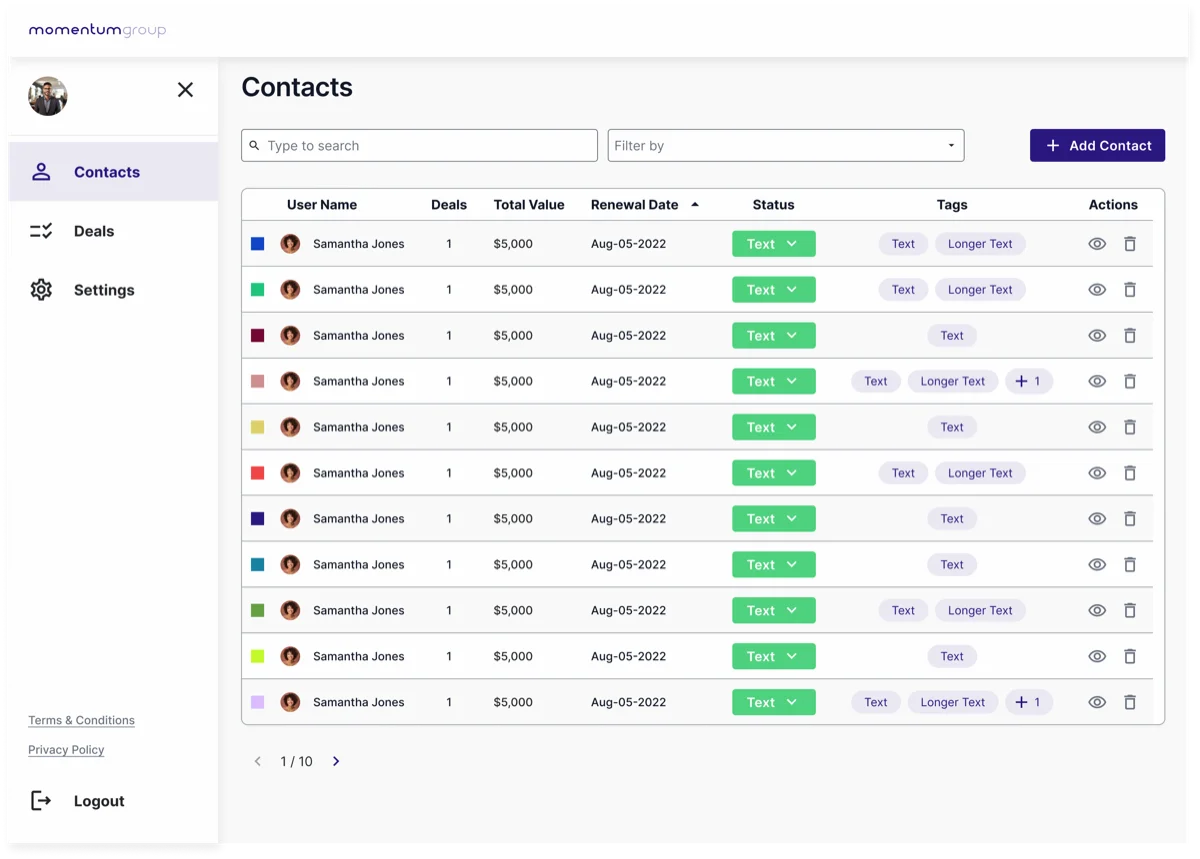 The “main application template” Module 5 builds toward: a navigation drawer built once as a reusable element, appearing on every page and holding its own active state, wrapping whatever the current page shows. From the course’s own design files.
Try it yourself
Sketch your app as boxes: which screens are true pages (deserving a URL) and which are views within a page? Mark every piece of chrome that appears twice — those are your reusable elements. Then pick one flow and note what state it needs and where that state lives (URL, interface, or database). That one-page sketch is an architecture document, and most apps never get one.
This skill in the AI era
Claude Code will happily scaffold either architecture in minutes — which makes choosing the right one more important, not less, because you’ll be living in it just as long. Routing, state management and component reuse are the exact vocabulary of modern frameworks; Module 5 students already speak it. It’s why Bubble developers make strong AI-era developers — and why we scope architecture before any AI app build.
If this sparked something, let's talk.
No pitch, no pressure — just a conversation about what you're working on.
Let's talkRelated posts
Bootcamp
A simple approach to data modelling
A four-step method for designing a database schema: identify entities, map relationships, choose fields. Taught through the CRM data model built in Bubble.
Bootcamp
API calls as actions vs data (and the planning checklist)
When to use Bubble API calls as actions versus data sources, a one-to-many auth pattern, and the planning checklist that keeps integrations from failing silently.
Bootcamp
Updating data in Bubble: auto-binding vs workflows
When to update Bubble records with Make changes to a thing workflows, when auto-binding is the better fit, the privacy rule it needs, and safe deleting.