Bootcamp
Module 6 — CRUD: the four operations behind every app

Photo by Compagnons on Unsplash
Strip the branding off almost any business application and you find the same skeleton: records are Created, Read, Updated and Deleted. Module 6 built that skeleton by hand, and it was the longest module in the course for a reason the lesson list makes obvious.
CRUD — Create, Read, Update, Delete — is the complete lifecycle of a piece of data. Master the four operations plus the presentation layer (search, sort, filter, paginate) and you can build the core of nearly any business tool.
Why “Read” took thirty lessons
Create, Update and Delete are single actions. Read is a product. Students built a contact manager and discovered what every professional knows: showing data well is where the work lives. The build covered a sortable table header (with conditional arrows, URL-friendly sort state, and a word of caution about premature cleverness), search, filters, and pagination built from scratch — page state held in the URL, chevrons greying out at the ends, correct counts displayed, test data generated to prove it. Then the single-record view, update via workflows and via auto-binding (with a redirect trick to set default page values), and delete — with a note on why the obvious solution isn’t always the right one.
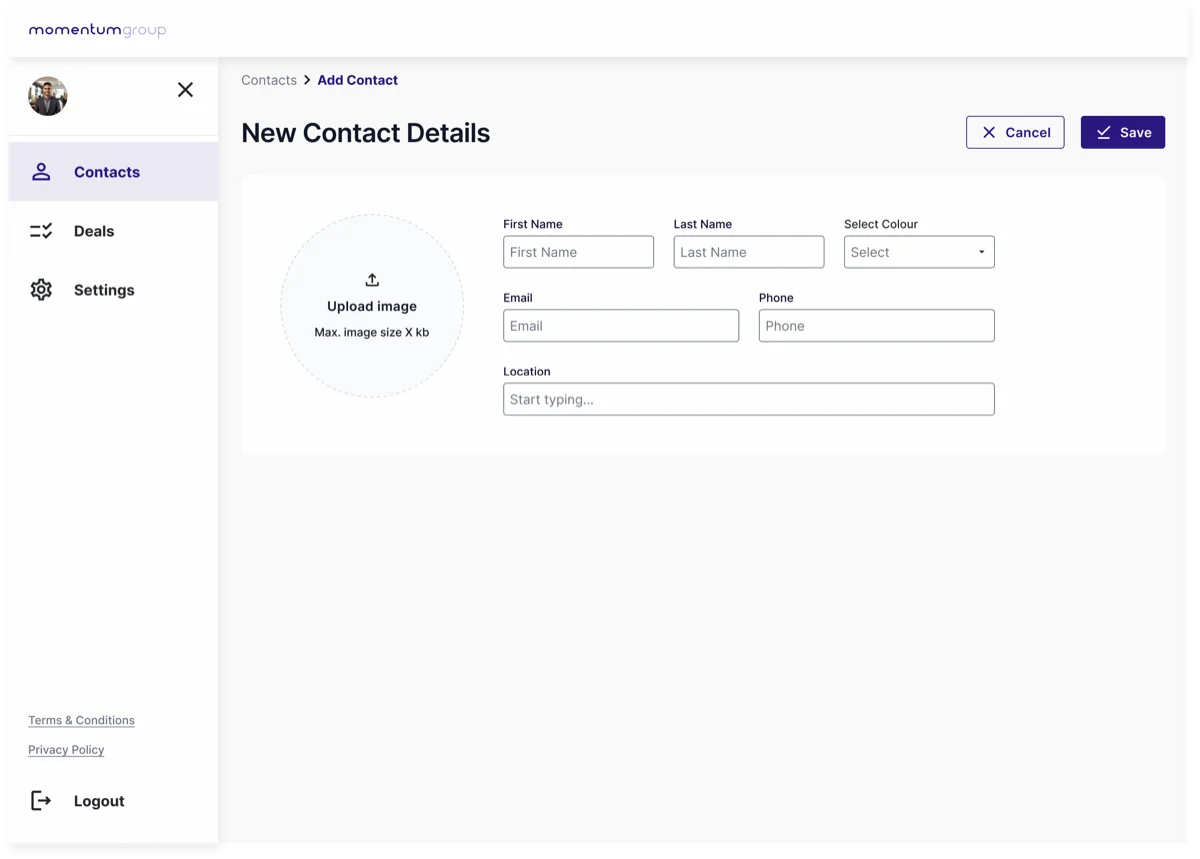 The “C” in CRUD — a create form writing one new record. Read is the list you return to, Update is this same form bound to an existing record, and Delete is one guarded action: four operations, one data type.
The lesson under the lessons
Building pagination by hand teaches something no component library can: what the machinery is. Once you’ve held page state in a URL parameter and computed “greyed-out chevron” conditions yourself, every data grid you ever meet — in any framework — is legible to you.
Try it yourself
Build the smallest possible contact manager: one data type (name, email, company), a create form, a list with search and one sort, an edit view, a delete with confirmation. No styling until it works. This single exercise contains more real app development than most tutorials deliver in total.
This skill in the AI era
Ask an AI for “a contacts table with search and pagination” and you’ll get one — but only a builder who’s done Module 6 can review it: is sort state shareable via URL? Does delete confirm? Does the empty state exist? CRUD literacy is what turns AI output from plausible to production. It’s the first thing we check when rescuing struggling apps, and the foundation of everything we build with AI today. The full story here.
If this sparked something, let's talk.
No pitch, no pressure — just a conversation about what you're working on.
Let's talkRelated posts
Bootcamp
A simple approach to data modelling
A four-step method for designing a database schema: identify entities, map relationships, choose fields. Taught through the CRM data model built in Bubble.
Bootcamp
API calls as actions vs data (and the planning checklist)
When to use Bubble API calls as actions versus data sources, a one-to-many auth pattern, and the planning checklist that keeps integrations from failing silently.
Bootcamp
Module 5 — Application architecture: pages, states and reusable pieces
Single-page vs multi-page apps, URL parameters, custom states, reusable elements — and a big practical building a main template with an expanding navigation drawer.