AI Implementation
The AI-Native Stack for a Small Business or Not-for-Profit
New organisations tend to assemble their technology the same way: one subscription per problem. A site builder for the website, an email platform for the newsletter, a scheduler for social posts, a form tool, a CRM. Within a year there are eight logins, eight invoices and eight places where a fragment of the truth lives.
It works, until you try to use AI across it. An assistant cannot answer “who attended in March and has not heard from us since?” when attendance is in one product, contacts in a second and sends in a third.
We set up small businesses and not-for-profits differently. Four layers, chosen so that everything the organisation knows is in one place an AI can reach.
The four layers
| Layer | What we use | What it holds |
|---|---|---|
| Home | Google Workspace | Identity, email, calendar, files, sheets, forms, meetings |
| Front door | An Astro website on free hosting | Public pages, plus structured collections such as events, chapters, programs and people |
| Intelligence | Claude, with the Google and Canva connectors | Questions, drafting and analysis across everything in Home |
| Design | Canva | Brand kit, social tiles, flyers, decks |
Home: one Workspace, tightly held
The organisation owns a Workspace tenant on its own domain. Only the people who administer it need seats. Everyone else, including volunteers, contractors and board members, keeps their existing email and is granted access to specific folders and files, which can be withdrawn the day they finish.
Sheets do the work a CRM would do in year one. Drive permissions provide tiers: open to the team, restricted to a committee, private to the executive.
Eligible not-for-profits can obtain Workspace at no cost through Google’s nonprofit programme, which means every administrator can have an individual login from the start. We recommend that strongly over a shared password.
Front door: a site you own
We build on Astro and deploy to free static hosting, as we did for the Centre for Men and Families. Pages load quickly, score well for accessibility and search, and carry no monthly platform fee.
Anything that changes often is modelled as a collection, so a wider group can add an event or update a chapter through a simple editor without risk to the rest of the site. Structural changes are made with AI-assisted development and are usually a matter of minutes.
Intelligence: Claude, connected
A Claude subscription signed in with the organisation’s Google identity, connectors enabled. The administrator can now work conversationally across mail, calendar and files: summarise the week’s enquiries, draft the board update from meeting notes, find every document that mentions the grant, prepare next month’s posts in the house tone.
Start with one seat for the person who does the administration. When several people need it, move to a team plan so each has their own login and the organisation keeps control.
Design: Canva, inside the conversation
With Canva connected, drafted copy becomes on-brand artwork in the same session. Finished assets are filed back into Drive, so the content calendar, the words and the images sit together.
Publishing on a schedule
Social posts are planned in a sheet: date, channel, copy, asset link, status. To begin with, someone schedules them using each platform’s free tools. When volume justifies it, we add a small scheduled job, run from the website’s hosting or Google’s own automation, that publishes approved rows. Approval stays with a person.
What it replaces, and what it does not
Usually replaced: the website builder subscription, the form tool, the social scheduler, the starter CRM, the shared-drive product, and much of the design spend.
Keep or add deliberately:
- Accounting software. Not negotiable.
- Payments or donations. Use a specialist provider.
- Email sending at volume. Past a few hundred subscribers, use a dedicated service for deliverability and for unsubscribe compliance under the Spam Act. Several are free at small scale.
- A database, when a spreadsheet starts to strain. Because the data is already clean and yours, the move is small.
Why this shape holds up
One source for AI to read. The value of an assistant rises with how much of the organisation it can see.
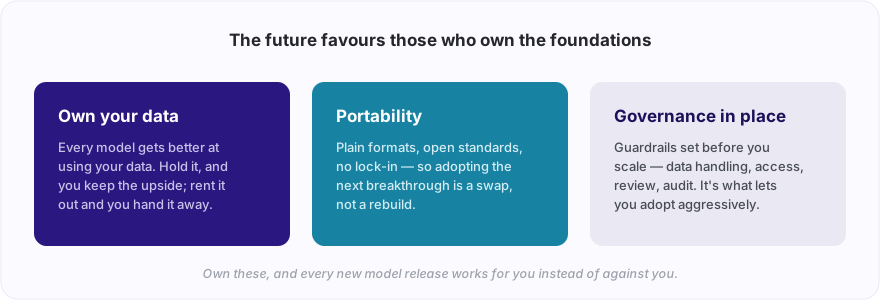
Ownership. Domain, files, site code and content sit in accounts the organisation controls. Nothing is trapped behind an export button.
Low upkeep. Fewer products means fewer things for a volunteer or a busy owner to learn and then hand over.
Room to grow in the right direction. Each later addition is a response to a real need rather than a guess made in week one.
Getting it in place
For most organisations this is a short engagement: set up the tenant and permissions, build the site from existing content, connect Claude and Canva, write a one-page guide to who can see what, and train the two or three people who will run it.
If you are starting something new, or paying for a pile of subscriptions that do not talk to each other, tell us what you have and we will map it onto the four layers.
If this sparked something, let's talk.
No pitch, no pressure — just a conversation about what you're working on.
Let's talkRelated posts
AI Implementation
Build Your AI Executive Assistant: What It Does, What It Never Does
AI can carry 50 to 80 percent of the repetitive work of an executive assistant: triage, drafting, scheduling, chasing, the morning brief. Here's how we build one, the rule that keeps it safe, and whether a hand-written email still matters.
AI Implementation
Build Your AI Middle Manager: Tracking, Chasing and Reporting on Autopilot
Good middle management is mostly diligence on a schedule: tracking commitments, chasing at the right moment, unblocking, and reporting upward. AI can carry 50 to 80 percent of it. Here's how we build an AI manager, and the line it never crosses.
AI Implementation
Build Your AI CFO: Cash, Chasing and the Monthly Pack Without the Headcount
Most small businesses cannot justify a CFO, so the founder does finance at ten at night. 50 to 80 percent of the role is repetitive: cash position, receivables, invoice matching, deadlines, reporting. Here's how we build an AI CFO, and the lines it never crosses.